Ads block

User Account

User Account in Windows OS English: A User Account in Windows OS is a personalized profile that allows an individual to access and use the computer system.…
Read more »

Keyboard

Keyboard This option is used to replace and reduce the speed of the cursor when typing by the keyboard, to change the rate of repetition, repeat delay, curs…
Read more »
Mouse

Mouse This option is used to change the left click of the mouse in right click and right click in left click, and to change mouse speed, pointers trails, do…
Read more »
Screen Saver:

Screen Saver: A screen saver is a picture or animation that appears on the screen when you haven't used the mouse or keyboard for a set period of time. Yo…
Read more »
Desktop Gadgets:

Desktop Gadgets: Desktop gadgets are customizable mini-programs that can display information, such as continuously updated headlines or a picture slide show, …
Read more »
Personalize / Display
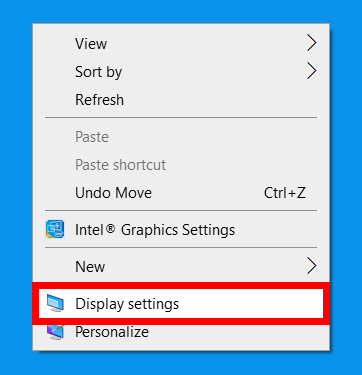
Personalize / Display This option is used to change themes, background, screen saver, appearance etc. as your requirement. इस विकल्प का प्रयोग कम्प्यूटर के ड…
Read more »
Control Panel

Control Panel ? The Control Panel centralises access to Windows’ multitudinous settings. From the Control Panel you can adjust and tweak Windows’ appearanc…
Read more »
Search?

Search? This option is used to search any files and folders as your requirement. Although you can open a separate Search window, one of the easiest ways to…
Read more »
About Run

About Run This option is used to Run any (.exe) executable program. Such as: Cmd, Winword, Excel, Powerpnt, Mspaint, Notepad,Calc, Charmap, Pm65, Photoshop …
Read more »
Log Off Computer

Log Off Computer This option is use to close all opened programs and change the user account from one to another. When you log off from the computer, you cl…
Read more »


